Open Forum

 View Only
  • 1.  Language Translation in Attendee Hub App

    Posted 28 days ago

    Hi all!

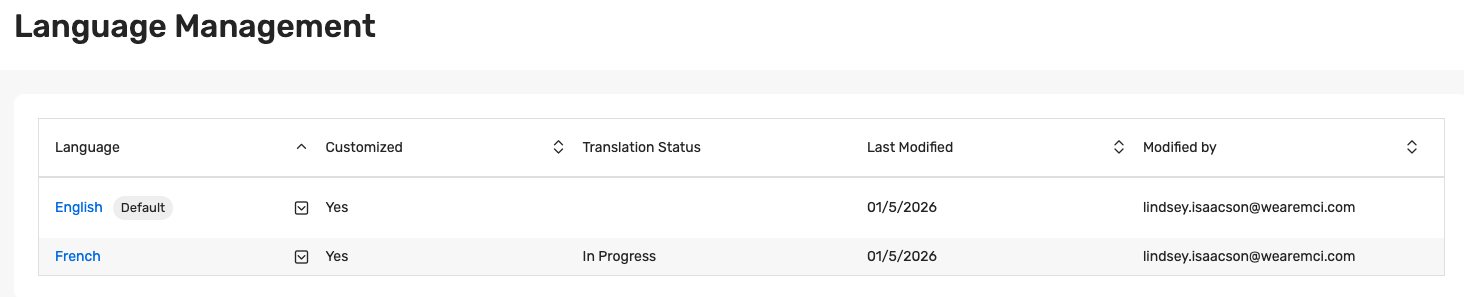
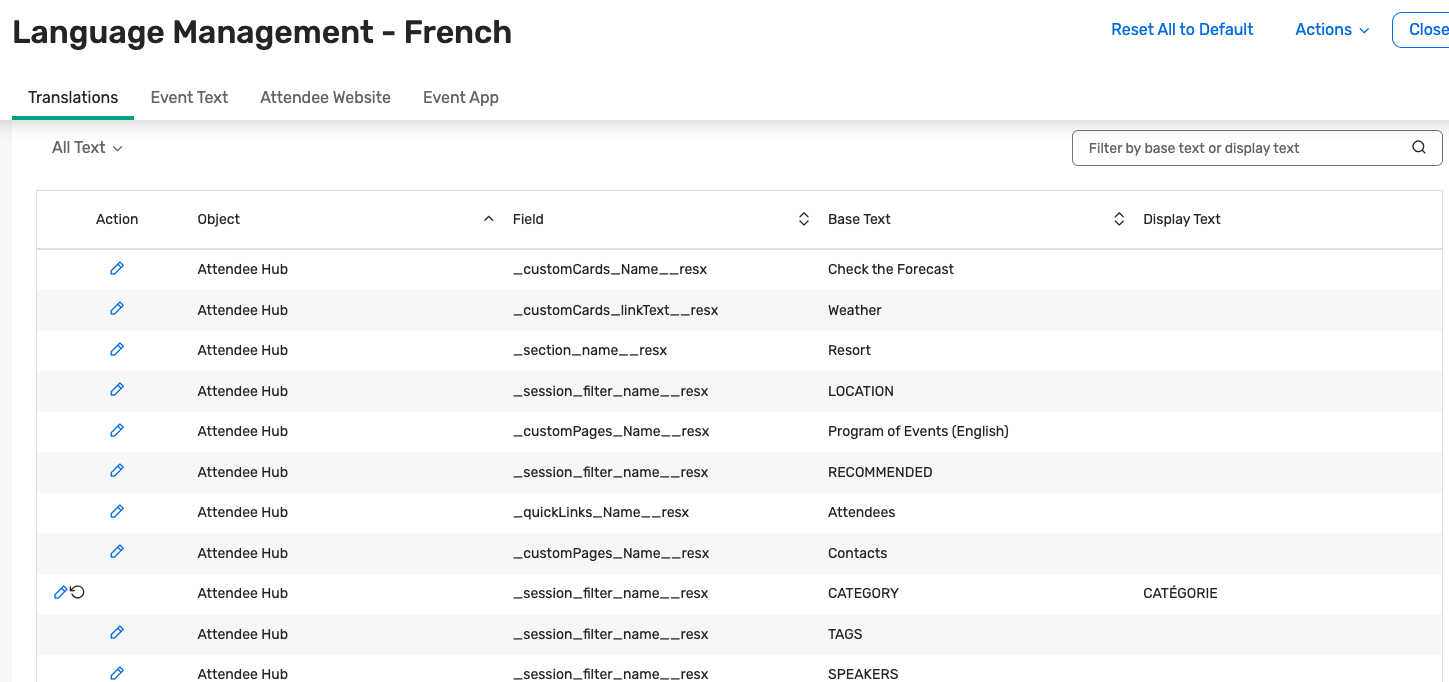
    This is the first multi language Attendee Hub App I've done. Languages are English and French. I'm wondering how the translation works in the app. Does there need to be something added to where they can select their language? Is it automatically translated somehow? On our actual Event Website (not Attendee Hub Website as we don't use that), we have a language toggle. But I also know that a lot of website browsers can automatically detect the need for translation and it's completed for the user. I can see under Language Management that there is a French language/translation "In Progress" (see first screenshot below), but I'm not sure what that means, and when I click on the French and go into "Translations", it doesn't seem like a lot have been translated (see second screenshot below). Thank you for any help in advance!
    #AttendeeHub

    ------------------------------
    Lindsey Isaacson
    Developer of Client Experiences
    MCI USA Holding CoUnited States
    ------------------------------


  • 2.  RE: Language Translation in Attendee Hub App

    Posted 7 days ago

    Hi Lindsey,

    I wanted to follow up with a quick summary of how language works in your Attendee Hub experience for English and French.

    • Attendee Hub (web and app) is separate from your Event Website language toggle. The website toggle controls the registration site only; Attendee Hub manages its own languages.

    • When multiple languages are enabled (like English and French), most of the system text in Attendee Hub is automatically translated by Cvent into the selected language.

    • Any planner-created content (for example, session names and descriptions, custom pages/sections, or other custom text) needs to be translated manually in Marketing > Language Management under the French language.

    • On the web version of Attendee Hub, the hub may default to the attendee's browser language, and attendees can change it any time under Profile → Language.

    • In the mobile app, the language initially follows the device language at the time the app is installed; attendees can change it later under Profile → Settings → Language & Time.

    • The "In Progress" status you're seeing for French in Language Management just indicates that some French strings have been customized; it doesn't prevent automatic translations from working.

    Hope this helps!

    Julianna 


    ------------------------------
    Julianna Hampshire
    Lead Customer Success Advisor
    SalesforceGenericAccountUnited States
    ------------------------------