Hi Adele!
You can! You'll need to go to Language Management under the Marketing tab in the panel. Once there, make sure you switch to "Event App" to see those options. I searched for 'Speaker' and there are multiple fields where you can change the language:
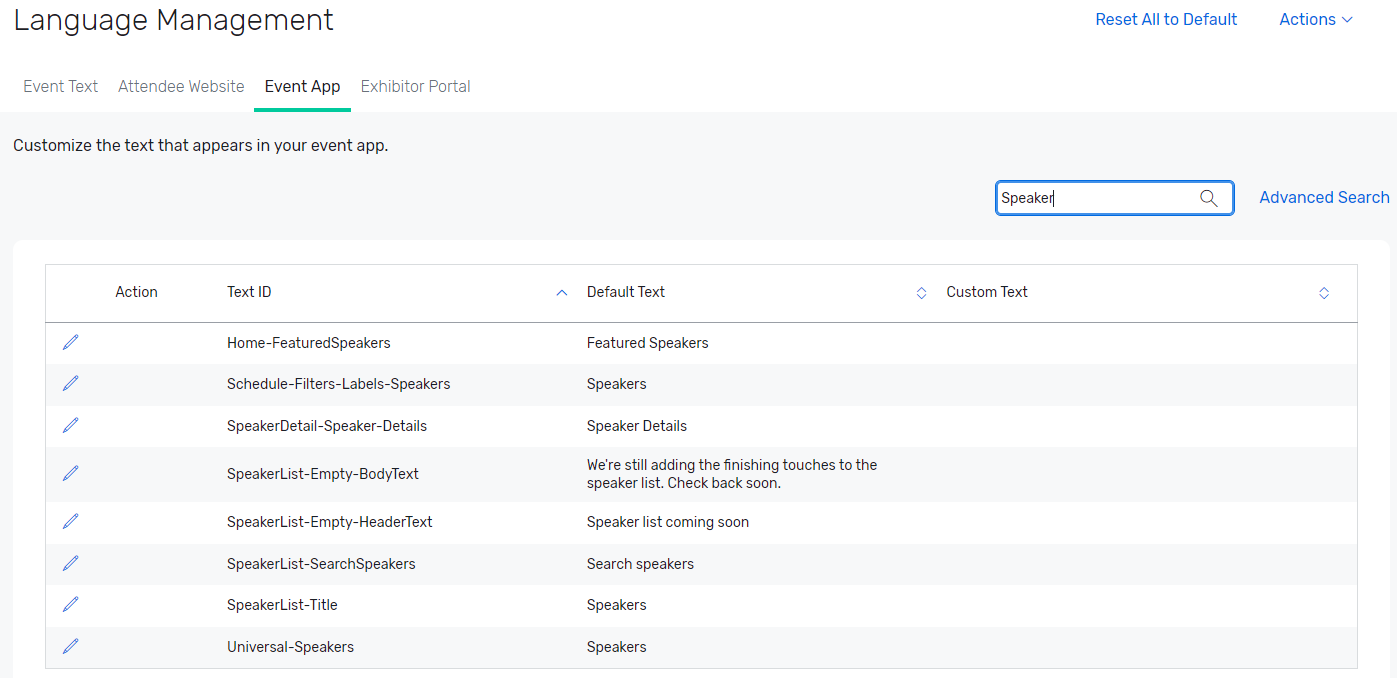
Click the edit icon next to the one(s) you want to change, and put in the text you want in the box under "Custom Text" - the edit icon will change to a save icon so be sure to click that when you finish each one.
Hope that helps!
------------------------------
Tori Martinez, Cvent Certified
Event Technology Specialist
Direct Travel
United States
------------------------------