Hi Beline,
Thanks for walking me through your event setup.
The short answer is that Cvent's session bundles are designed as an all-or-nothing selection: when a registrant picks a bundle, every session in it is automatically added to their agenda. There's no native way to present a secondary "choose your breakout" prompt from within a bundle itself.
There's also a platform constraint worth knowing: a session cannot belong to both a session bundle and a session group at the same time, so nesting group-style selection logic inside a bundle isn't possible.
That said, here's a workaround that accomplishes what you're after:
-
Keep Bundle B for the general/required sessions attendees must all attend
-
Set up the conflicting breakout sessions as standalone optional sessions outside the bundle
-
Use a Session Group (with "Invitees must select a session from this group" set to Yes) or an Advanced Rule to enforce that registrants pick exactly one of the overlapping options
-
Use visibility controls (registration type or admission item) to ensure only registrants who selected Bundle B see those breakout choices
The registration experience would flow naturally - they select Bundle B, then are prompted to choose their breakout on the sessions page.
One additional note: sessions added through a bundle won't appear individually in Attendee Hub/Event App by default, so you'll want to add those sessions individually as well for the app experience you're planning.
Hope that helps!
Julianna
------------------------------
Julianna Hampshire
Lead Customer Success Advisor
SalesforceGenericAccountUnited States
------------------------------
Original Message:
Sent: 06-10-2026 15:44
From: Beline Falzon
Subject: How do I allow attendees to select multiple Admission Items during registration?
Hi Raashi,
I have a follow-up question from a similar issue: I have a main event and ancillary events over three-days. We are running a single registration for all three days. We want registrants to have the choice to pick any combinaison of events to attend (4 events total).
Right now, I'm planning to have one admission item, and to use session bundles to get people to select the overall events they want to attend. That will allow us to build sessions within the bundles as we get closer to the event, for Attendee Hub/Event App purposes.
Here's my conundrum: within one the bundles, I would like people to pick breakout sessions during registration. Is this possible? So let's say someone picks bundle A and bundle B, can the optional sessions that overalp in timing in option B show up as a further selection they have to make?
Thanks!
------------------------------
Béline Falzon, CMP
Assistant Director for Events
Stanford University, Precourt Institute for Energy
------------------------------
Original Message:
Sent: 09-17-2025 10:39
From: Raashi Semwal Khati
Subject: How do I allow attendees to select multiple Admission Items during registration?
Hi Janet,
Hope you are well!
I reviewed the query and understand that you have two items and you would want the invitees to select either one or both of the admission items in the event.
As Liz Lorenzsonn mentioned correctly, the invitees can have only one admission item when they register as the admission items are like an entry ticket to an event and one invitee can have only one item. The easiest set up for this is to create one general admission item for every one and create these items as optional sessions in the event.
This way, when they register for the event, they can select either one or both sessions for the event and then you can later run the report to get the estimate of attendance for each session. To create sessions in your event, you need to have 'Agenda' enabled under 'Event Features' in your event.
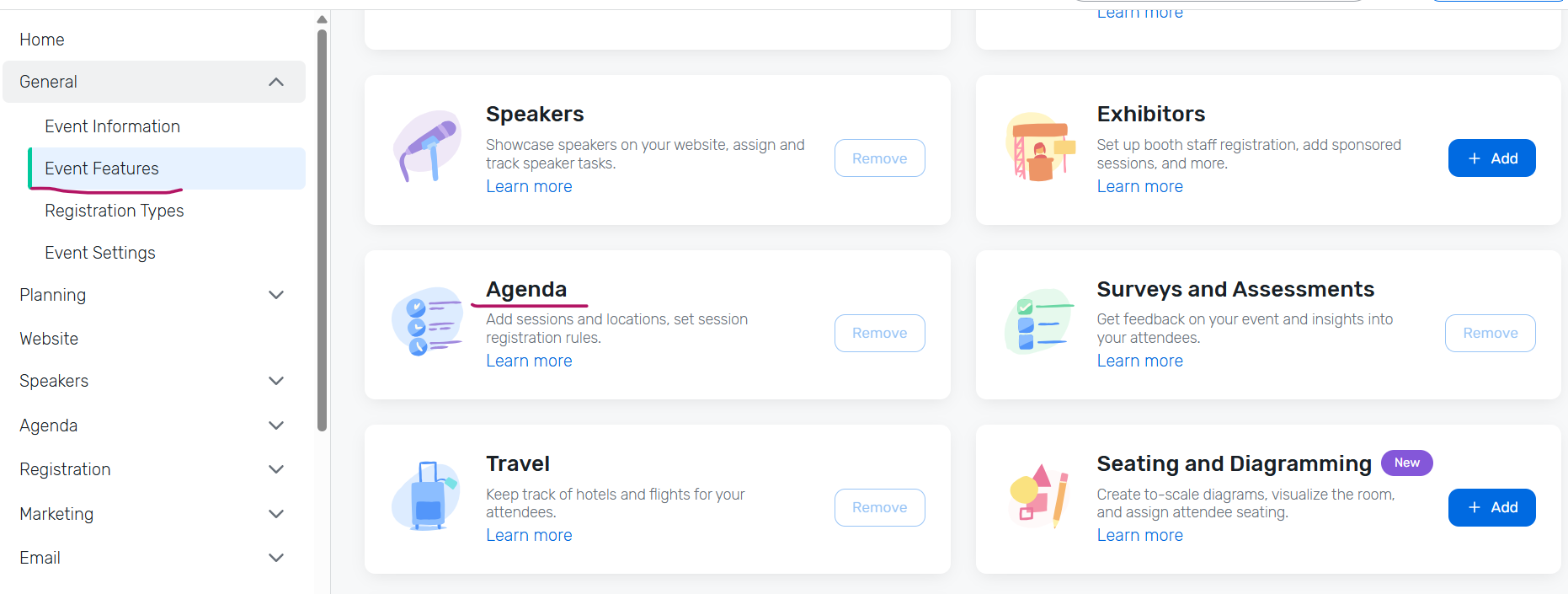
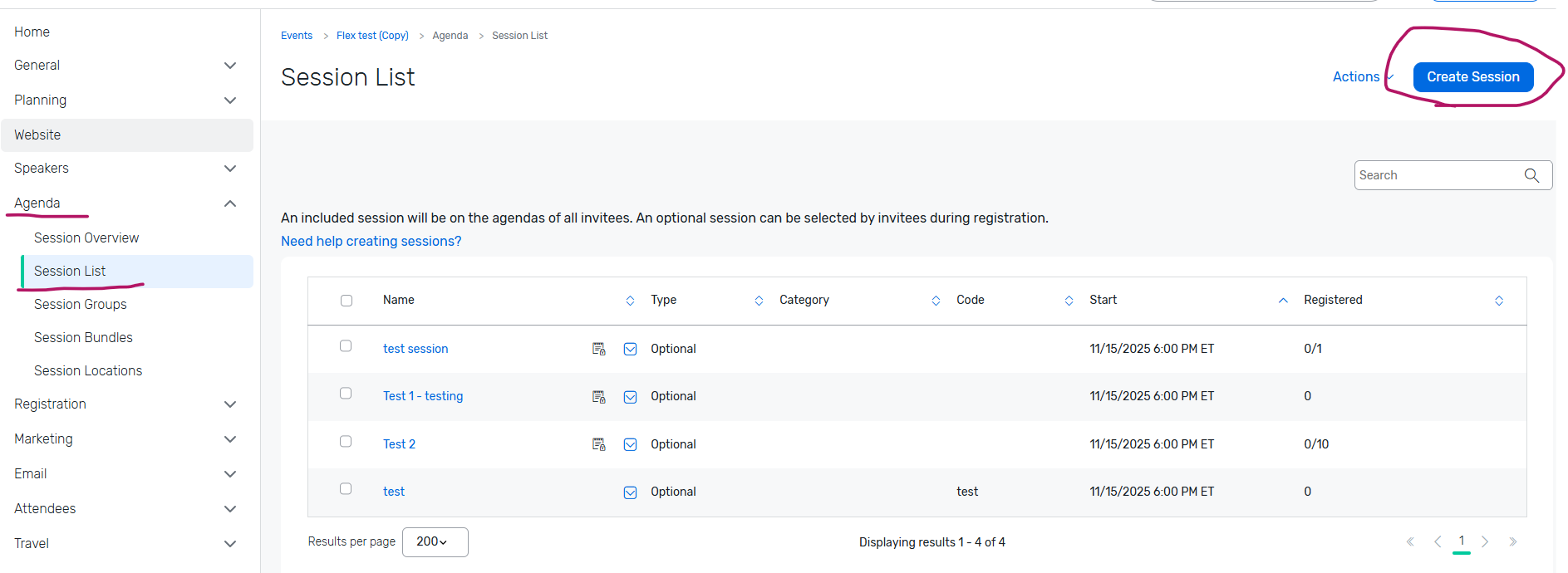
NOTE : Please make sure you create the sessions as 'Optional Sessions' and not 'Included sessions' the session type cannot be changed once the sessions are created.
You can refer to the following articles that will help you in setting this up :
Creating Sessions : LINK : : https://support.cvent.com/s/communityarticle/Creating-Sessions
I hope this helps. Please let us know if you have any further questions.
------------------------------
Raashi Semwal Khati
Senior Quality Analyst
Cvent
------------------------------