Hello Bianca,
Unfortunately, most email clients ignore embedded or external CSS, so link styling (such as removing underlines) won't work reliably that way. The only consistent solution is to apply the styling using inline CSS by switching to the HTML (or code widget).
Alternatively, we can use custom data tag.
To do this, go to Admin > General > Custom Data Tags > Create Data Tag, select the type as Content Block, and click HTML.
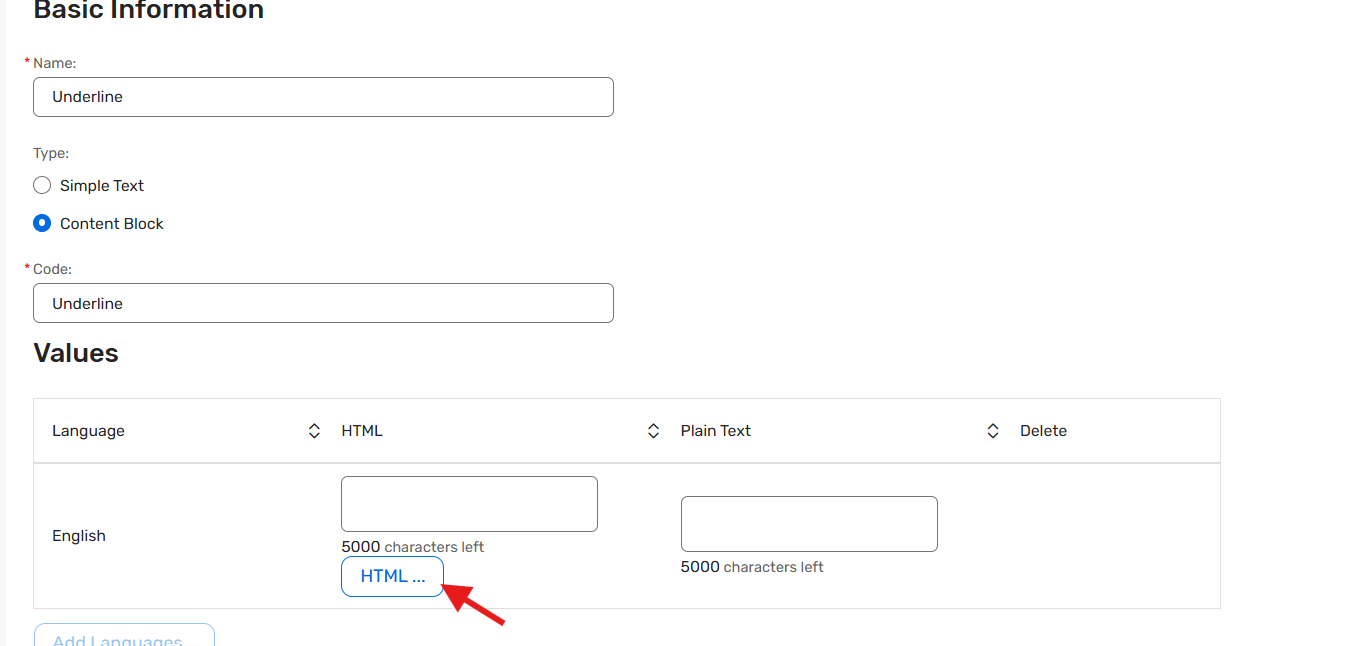
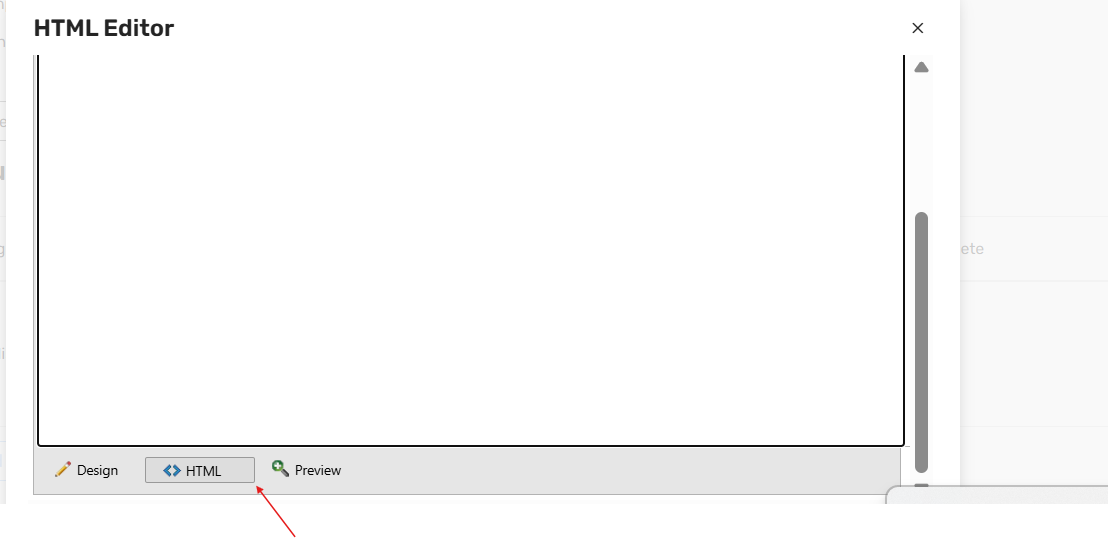
In the HTML editor, scroll to the bottom, click HTML, and paste the link with inline styling, for example:
<a href="https://example.com/" style="text-decoration: none;">
PLEASE CLICK HERE
</a>
Save the data tag, then copy the tag and paste it into the email within a text widget. This should remove the underline as intended.
Let me know if this helps or if you need further assistance. Thank you!
------------------------------
Sanjog Rana
Subject Matter Expert
Cvent Client Services
------------------------------