Hi Brooke,
Hope you are well!
I checked about your query and you can try running the 'Agenda Item Financial Overview' report. However, you'll have to make some edits in the report since you only wish to see the data for the sessions. Please follow the steps mentioned below :
Please go to your event > Click on Reports > Reports > Click on Report Templates Tab > Search for 'Agenda Item Financial Overview' and run the report.
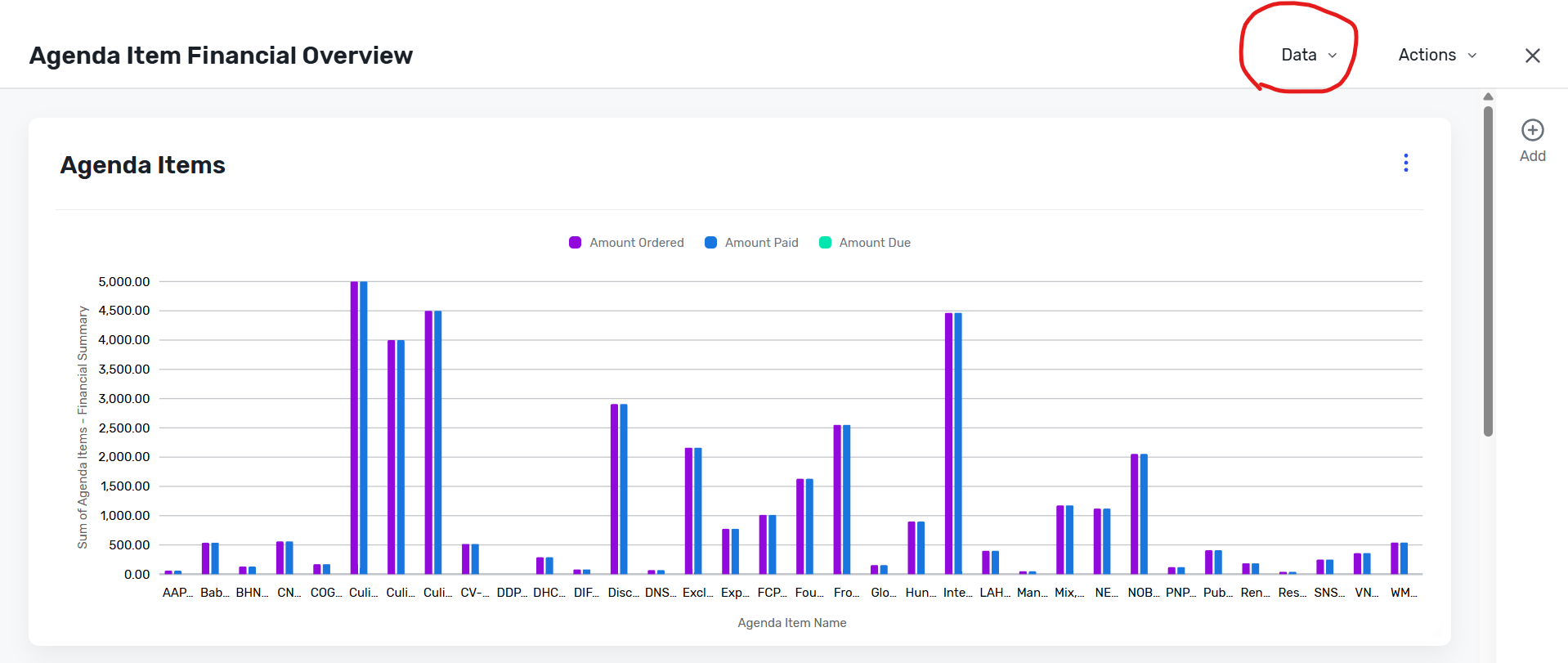
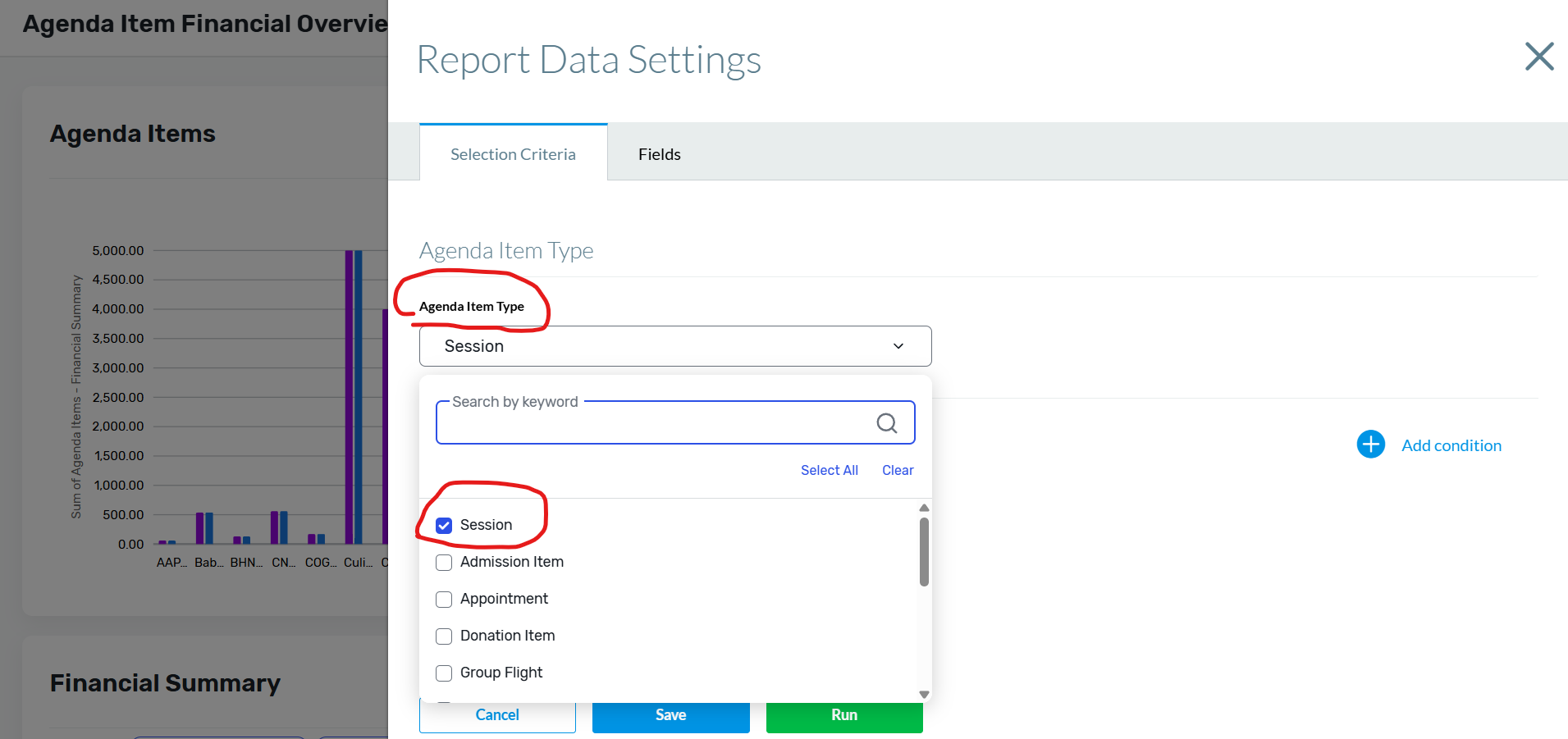
Once the report data is up, click on 'Data' on top right > Change report data > Click on the dropdown for 'Agenda Item Type' > Uncheck all item names and only select 'Session' type > Run the report.
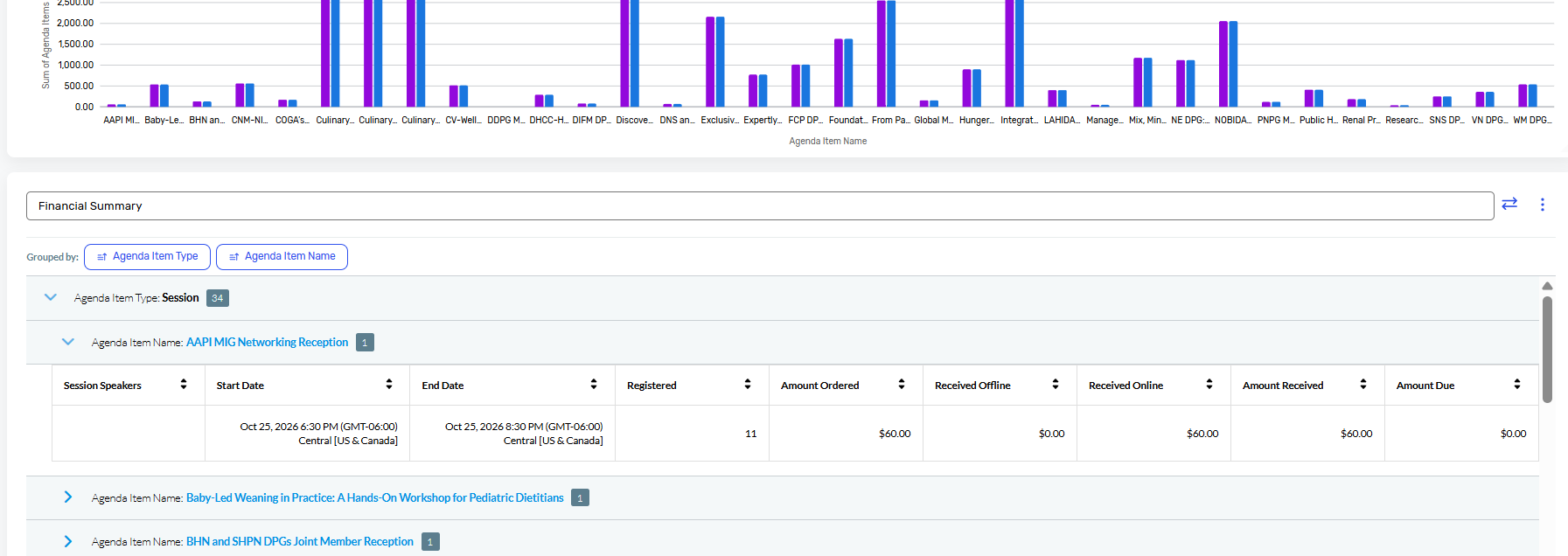
The report will show you the bar graph at the top with the financial data for each session and if you scroll down, it'll display the session names. Simply click on the arrow icon next to each session to check the financial details which includes the speaker details, session start and end time, how many people registered for the session, Amount ordered, amount received offline, amount received online, total amount received and amount due.
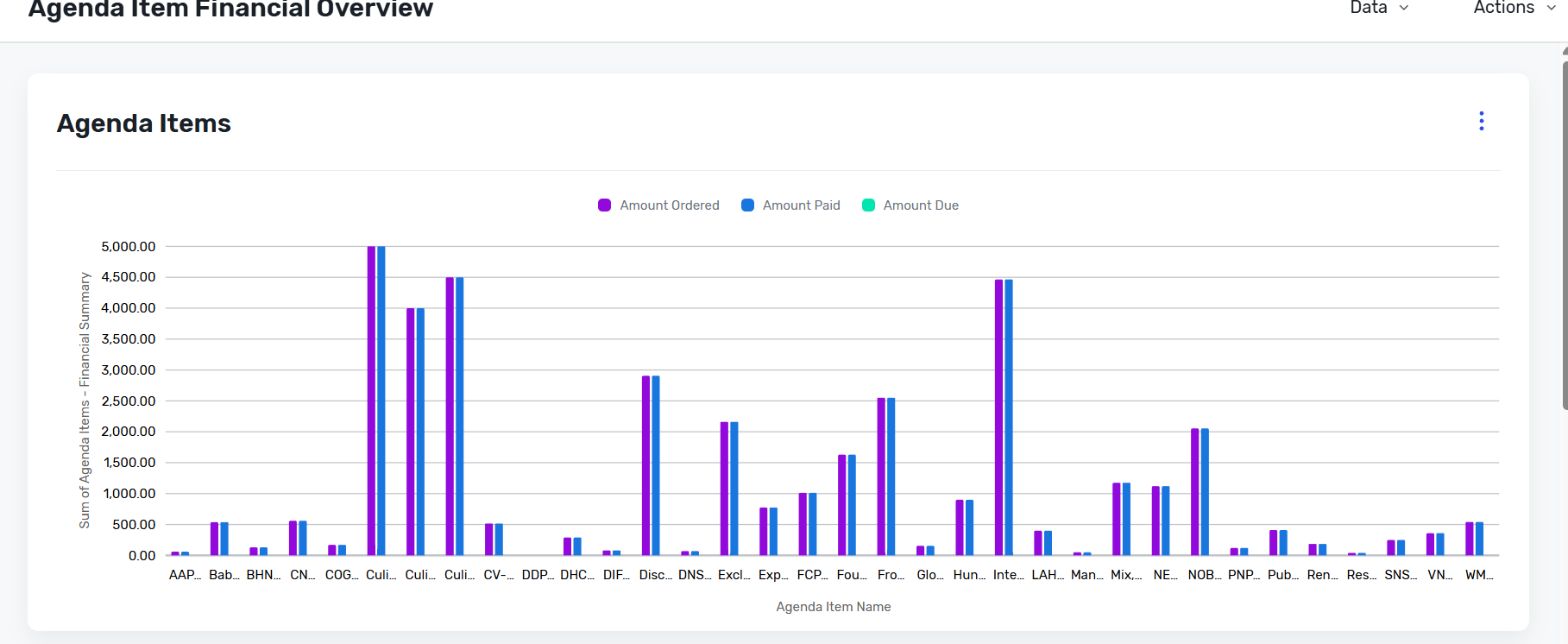
You can then click on Actions at top right > Save the report or export it in .csv or .xlsx format. If this doesn't solve the issue, then you can try to create a custom report at your end too, to add the specific information you wish to display within your report.
You can also refer to the following articles for your reference :
Your Guide to Running Reports in Cvent
Using the Report Builder
I hope this helps. Please let us know if you have any further questions.
------------------------------
Raashi Semwal Khati
Quality lead - Client Services
Cvent
------------------------------