Hi Sarah,
Hope you are well!
I checked about this and unfortunately, we do not have the option to change the Event Calendar display to Sunday to Saturday instead of Monday to Sunday. If it is getting confusing for the invitees, you can change the calendar display to list view instead of Calendar view. To make this change, please go to your Account > Calendar > Event calendar > Click on the calendar's name > Website tab > Click on Customize under 'Customize the look and feel of your website.' > Click on the Event List widget > on the right panel select 'List' for Select a display format > publish.
PFB the look of this view :
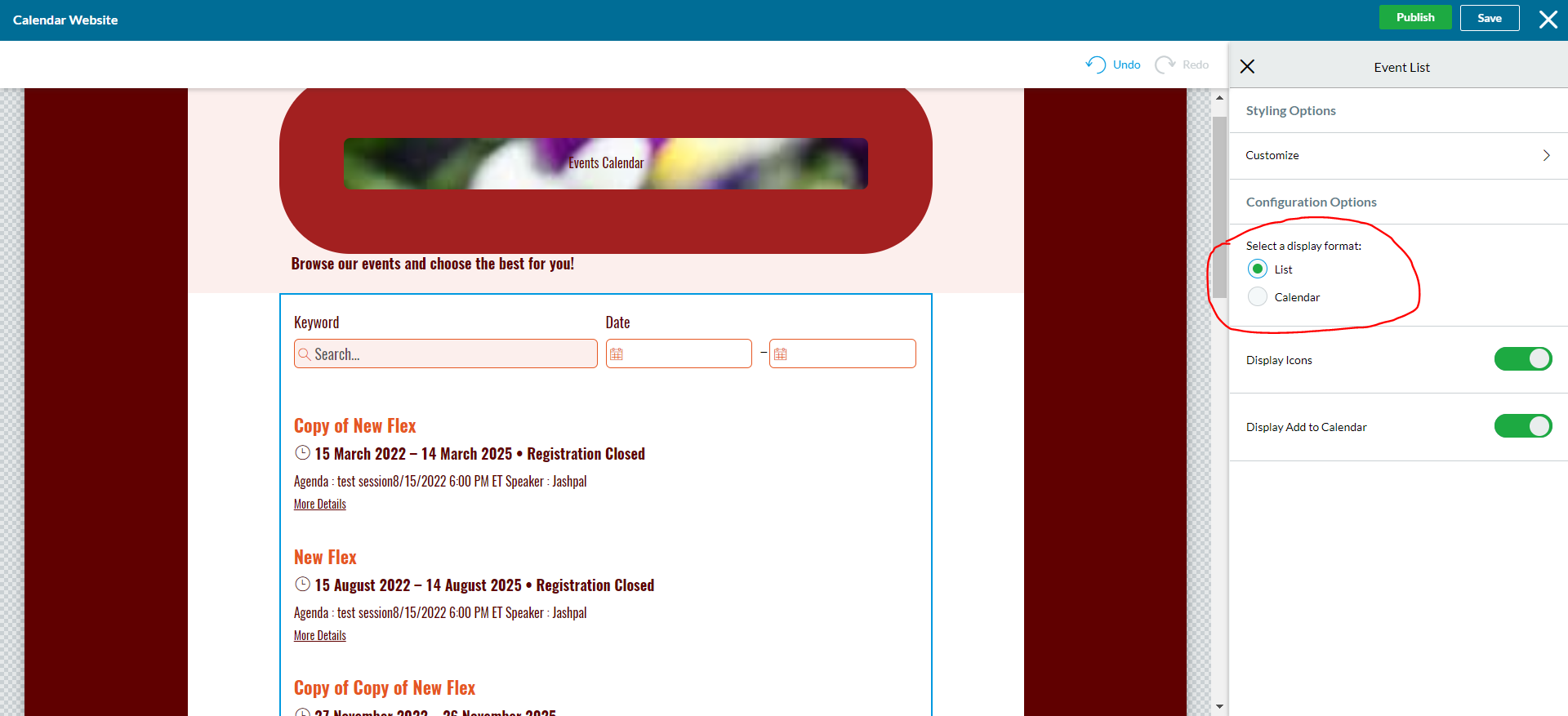
However, I understand your perspective and apologize for any inconvenience. But, it sounds like a great feedback. I suggest you to post this as an Idea/feedback for our product team by going to Cvent Community > Participate > Product Ideas.
We encourage you to always submit your ideas or any challenges you face while working with the product. As it also help our Product Development team to review the possibilities and if it works we may try to incorporate such changes in our future releases.
You can also refer to the following article for your reference :
I hope this helps. Please let us know if you have any further questions.
------------------------------
Raashi Semwal Khati
Senior Quality Analyst
Cvent
------------------------------