Open Forum

 View Only
  • 1.  Sessions List

    Posted 20 days ago

    I am trying to bold text in the basic information section on the Sessions List. Is this possible?


    #Registration

    ------------------------------
    Catrina Akers
    Manager, Technology & Standards
    Consumer Technology AssociationUnited States
    ------------------------------


  • 2.  RE: Sessions List

    Posted 18 days ago

    Hi Catrina,

    Hope you are well!

    Could you please confirm where exactly in the Basic Information section you're trying to bold the text?

    If you're referring to the Description field, this can be done by following these steps:

    1. Go to the Session List and click on the desired session.
    2. Click Edit in the top-right corner.
    3. Scroll down to the Description field and enter your text.
    4. Highlight the text you want to make bold, then click the B (Bold) icon in the formatting toolbar.


    If you're trying to format any other field under Basic Information within the session, then that cannot be done. Only rich-text/paragraph fields (like the session description) support inline formatting.

    I understand your perspective and apologize for any inconvenience. But, it sounds like a great feedback. I suggest you to post this as an Idea/feedback for our product team by going to Cvent Community > Participate > Product Ideas.

    We encourage you to always submit your ideas or any challenges you face while working with the product. As it also help our Product Development team to review the possibilities and if it works we may try to incorporate such changes in our future releases.

    You can also refer to the following article for your reference :

    Creating Sessions

    I hope this helps. Please let us know if you have any further questions.

    Have a great week ahead!


    ------------------------------
    Raashi Semwal Khati
    Quality lead - Client Services
    Cvent
    ------------------------------


  • 3.  RE: Sessions List

    Posted 18 days ago

    Hi Catrina,

    Thank you for your response.

    The option to bold the Session Name within the Basic Information section of the Session List is not available, as this field does not support inline text formatting. Rich text formatting is only supported in fields such as the Session Description.

    However, if your goal is to display the session names in bold on the event website, you can achieve this through Site Designer by following these steps:

    1. Go to Registration > Registration Process and open Site Designer.
    2. Navigate to the Sessions widget and click on it.
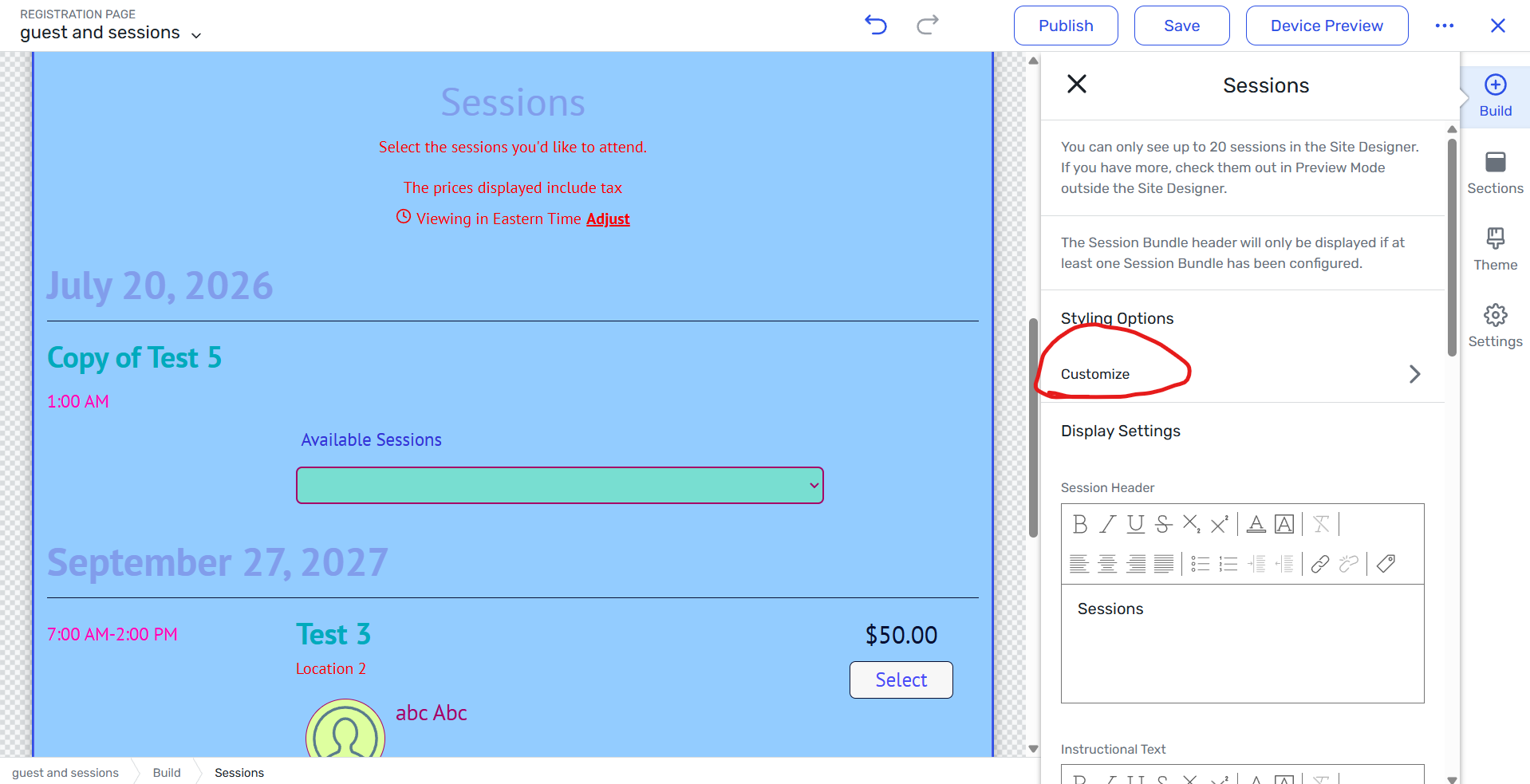
    3. In the panel on the right, select Customize.
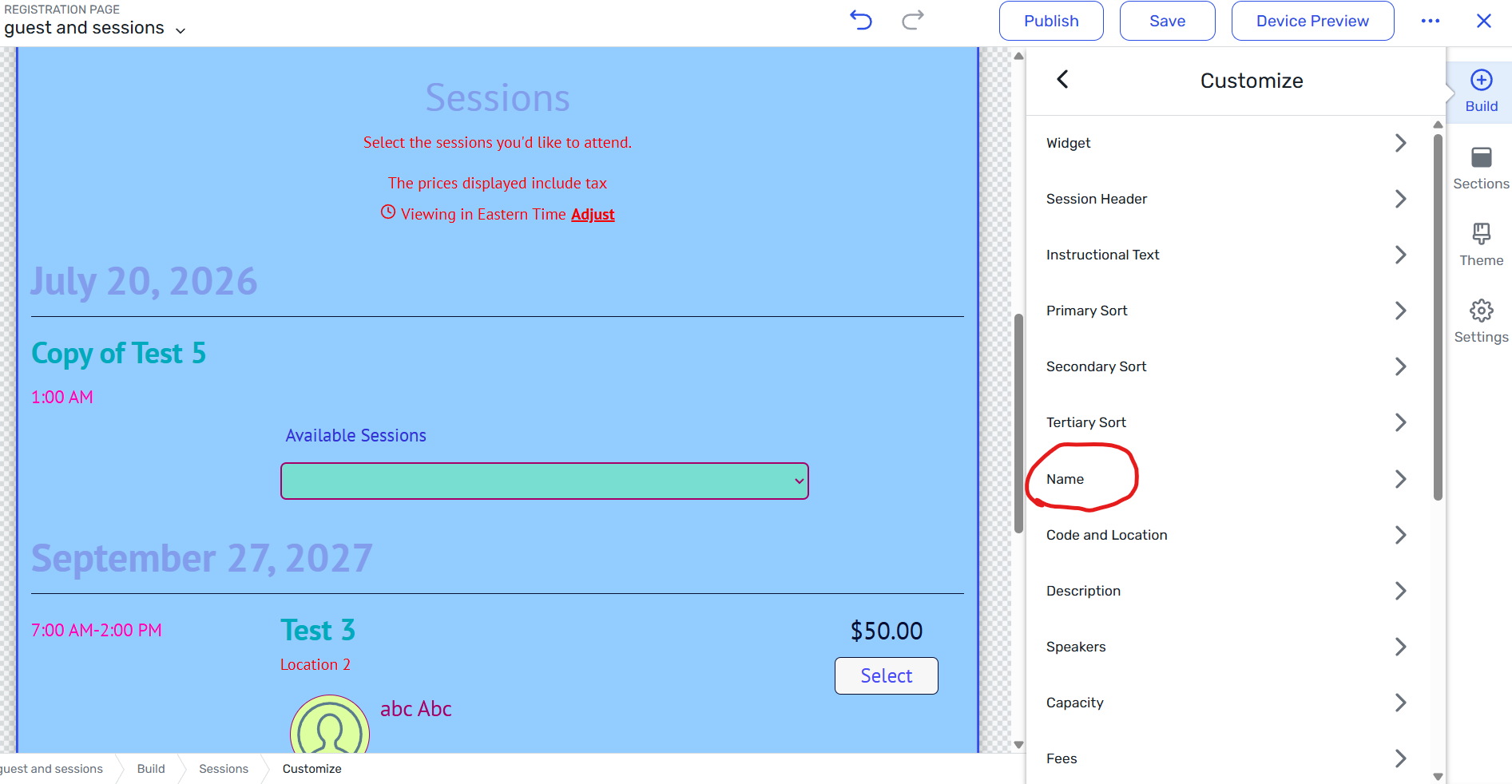
    4. Scroll down and click on the Name option.
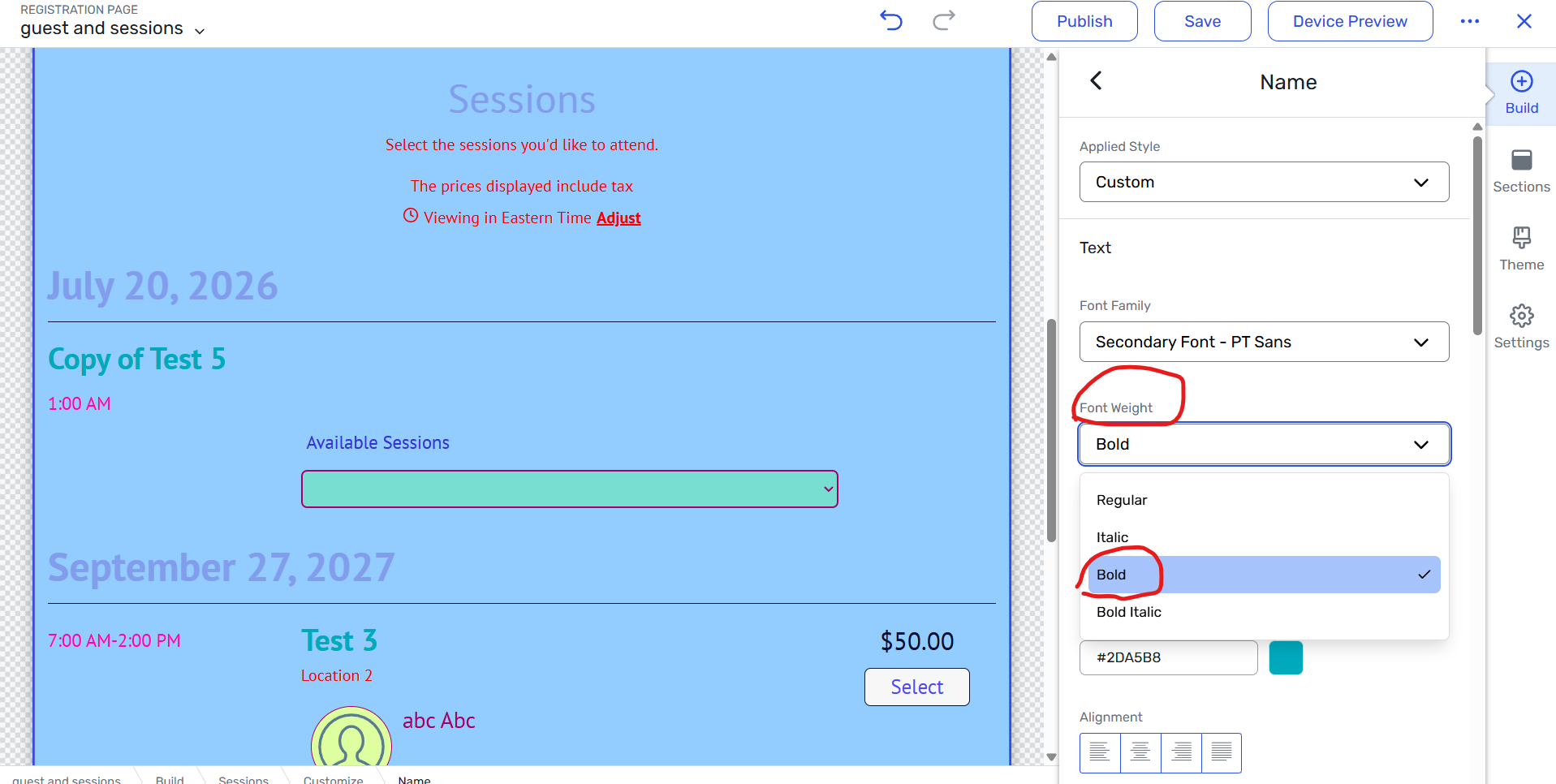
    5. Change the Font Weight setting to Bold.
    6. Publish the site to apply the changes.

    This will display the session names in bold on the front end of your event site.


    You can also refer to the following article for your reference to know how to customize the sessions widget within site designer. 

    Setting Up the Session Widget

    Setting Up the Agenda Widget

    Setting Up the Agenda at a Glance Widget


    I hope this helps. Please do let us know if you have any further questions.


    ------------------------------
    Raashi Semwal Khati
    Quality lead - Client Services
    Cvent
    ------------------------------