Hi Beth,
Hope you're well!
The reason the session order looks different on your current event compared to last year's is that the Sort Order criteria in the Session Widget within Site Designer was set up differently. Here's how you can update it to match the previous setup.
Current Event's Session order criteria: Category → Start Date → Start Time
Previous Event's Session order criteria: Start Date → Start Time → Category
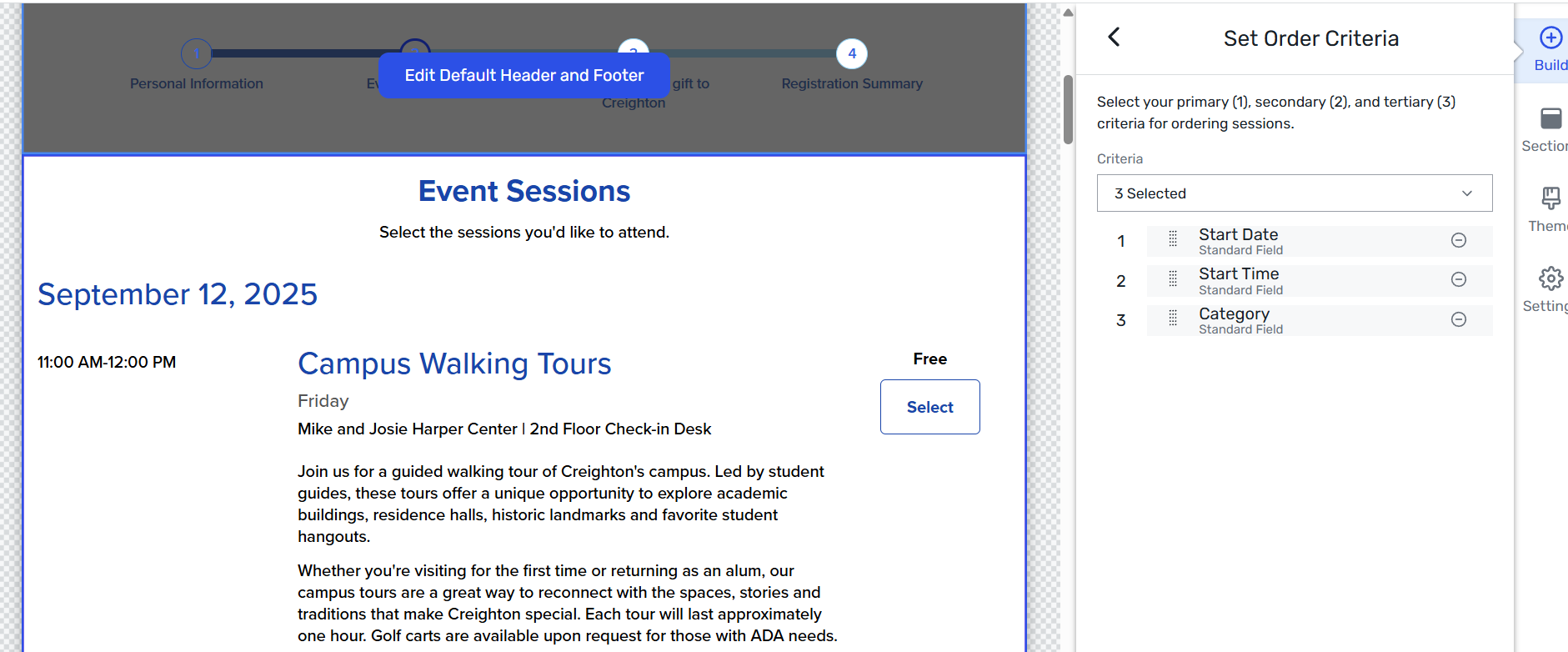
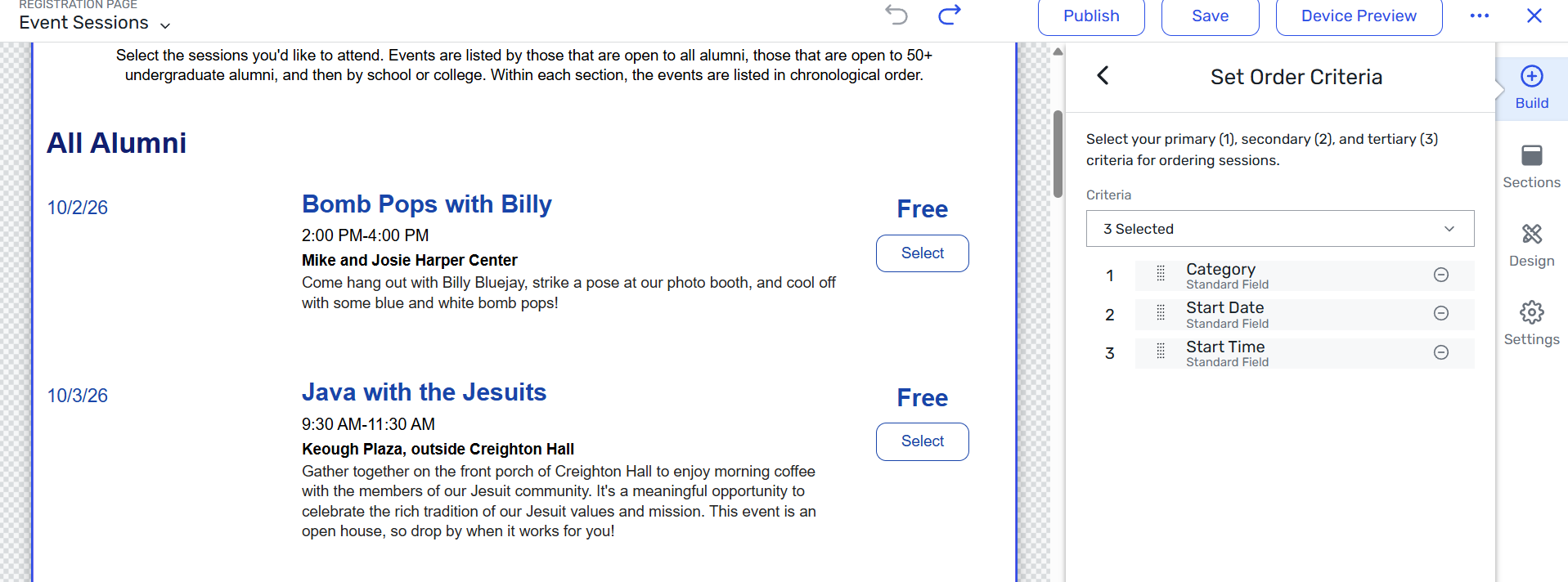
Steps to update the session sort order:
-
In your event, go to Website & Registration → Site Designer.
-
Navigate to the page that contains the Session Widget (usually your Agenda or Sessions page).
-
Click on the Session Widget to select it, then click Edit (pencil icon).
-
In the widget settings panel, look for the Sort Order or Session Order section.
-
Reorder the criteria so they read: Start Date → Start Time → Category.
-
Click Save, then Publish your site to make the changes live.
Once updated, your sessions will display in chronological order (by start date and time first), with category as the final tie-breaker - exactly as they did last year.
You can check the following article for your reference :
Setting Up the Session Widget
I hope this helps. Please let us know if you have any further questions.
Have a great day ahead!
------------------------------
Raashi Semwal Khati
Quality lead - Client Services
Cvent
------------------------------