Hi Brenda,
Hope you are well.
When you copy an event, everything gets copied over and you just have to make the amendments.
I was able to locate your account and I believe you are referring to the 'Minnesota Quilters 2023 Show: Vendor and Sponsor Registration' event.
Here is how to fix this issue :
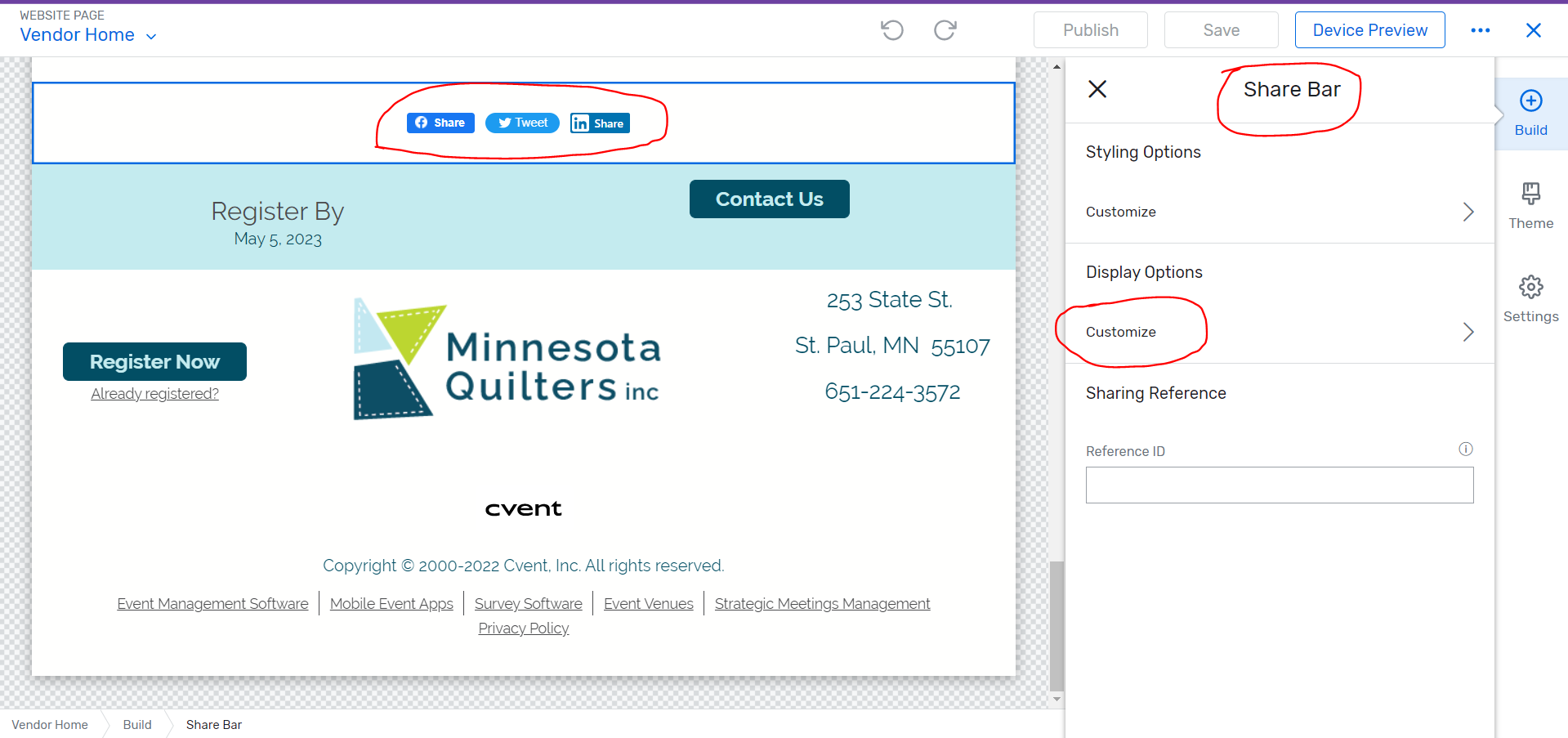
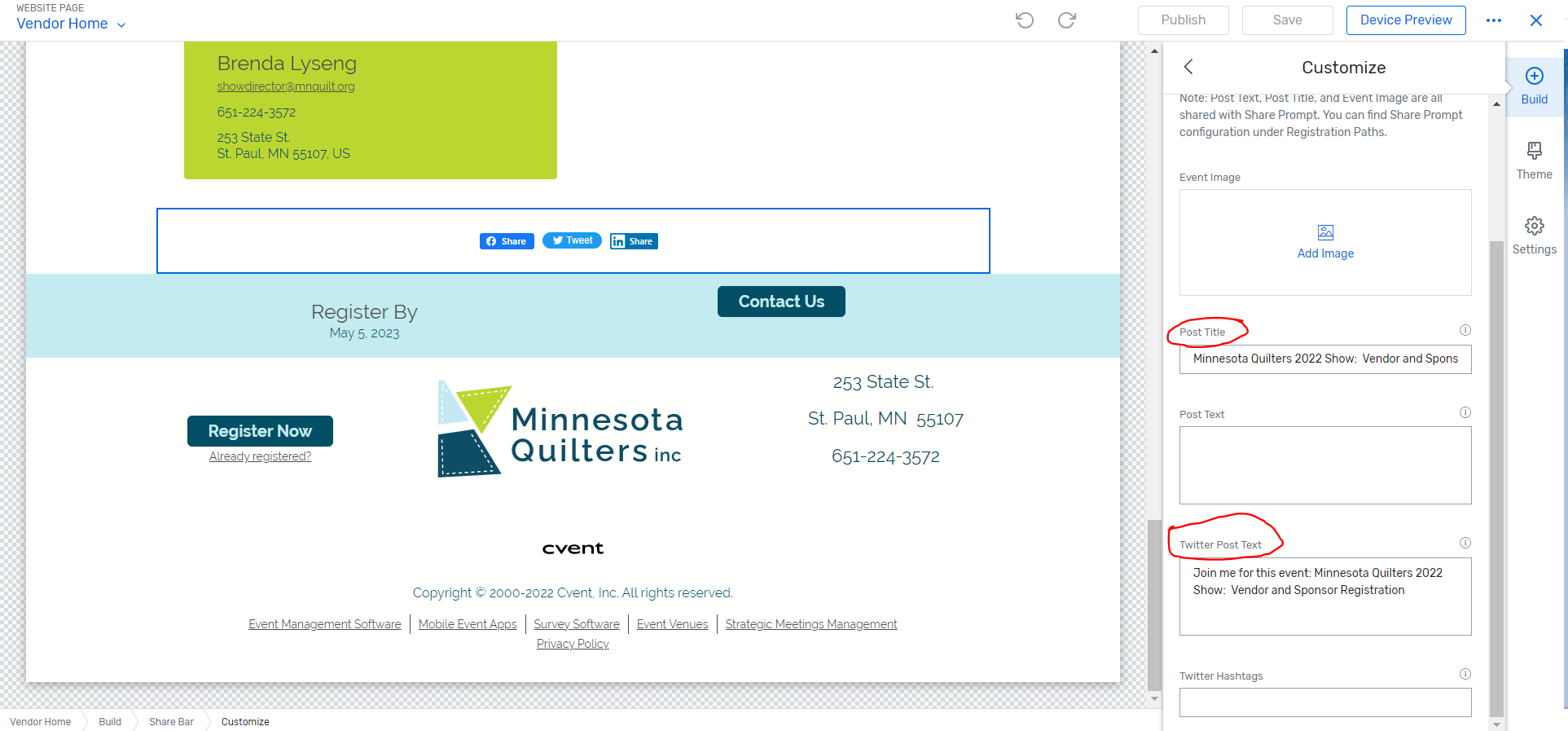
Please go to your event > Website > open site designer > Click on the 'Share Bar' widget > a panel will open on the right > Click on Customize under 'Display Options' > Scroll down to '
Post Title' and edit the event's name there > Then scroll down a bit more to 'Twitter Post Text' and edit the text there too > Publish.
Now, since the website is already launched, the
media pages will eventually update your data, but can take up to 7-10 days to do so. To expedite it, you can manually push an update yourself. Please refer to the article below to know how you can push the page update at your end :
Why is my post outdated when I share on social media? - Link : : https://support.cvent.com/s/communityarticle/Why-is-my-post-outdated-when-I-share-on-social-media?sfdcIFrameOrigin=null
Please find below the screenshot for your reference :
I hope this helps. Please let us know if you have further questions about this.
------------------------------
Raashi Semwal Khati
Senior Quality Analyst
Cvent
------------------------------