Hi Marta,
Hope you are well!
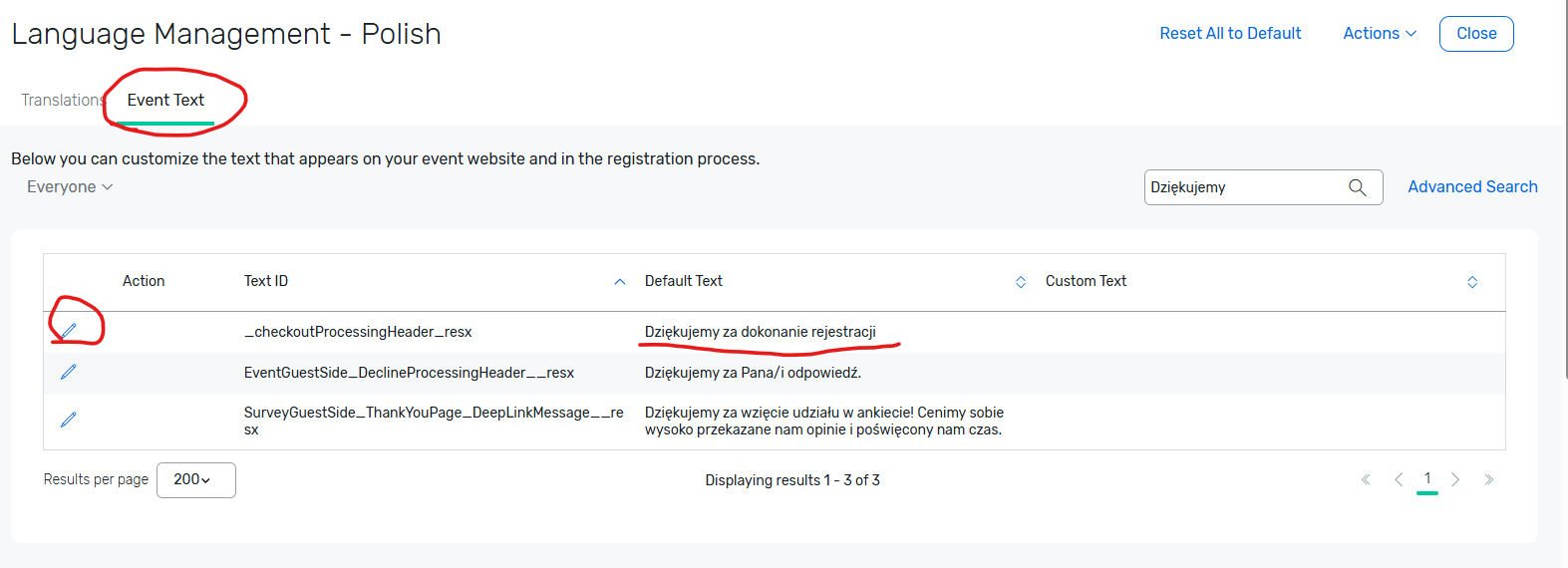
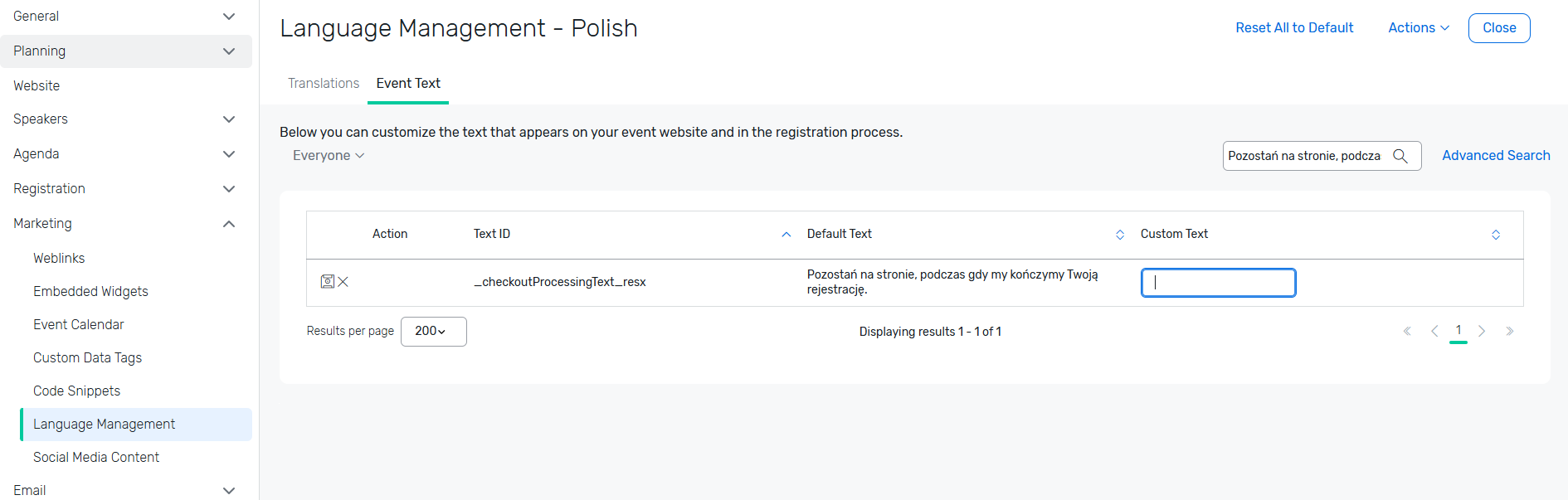
Please go to your event > Marketing > Language Management > click on the language 'Polish' > click on 'Event Text' Tab > search for 'Dziękujemy za dokonanie rejestracji' > click on the pencil Icon next to the Action > add the custom text > click on save icon to save the changes (where you clicked the pencil icon to edit). Then search for 'Pozostań na stronie, podczas gdy my kończymy Twoją rejestrację.' text and repeat the process to update the text. PFB the screenshots for your reference :
You can also refer to the following articles for your reference :
Setting Up a Multi-Language Event : LINK : : https://support.cvent.com/s/communityarticle/Setting-Up-a-Multi-Language-Event
Customizing Text : LINK : : https://support.cvent.com/s/communityarticle/Customizing-Text
I hope this helps. Please let us know if you have any further questions.
------------------------------
Raashi Semwal Khati
Senior Quality Analyst
Cvent
------------------------------