Open Forum

 View Only
  • 1.  Scoll bar in Search and recents

    Posted 22 days ago

    I really like the new planner navigation now that I have become accustomed to it.  The only challenge I've been having is trying to use the scroll bar in the Search and recents.  Every time either click on the top or bottom arrow in the scroll bar, the popout disappears. Same thing happens when I try to drag the bar up or down.  It becomes frustrating as a user.
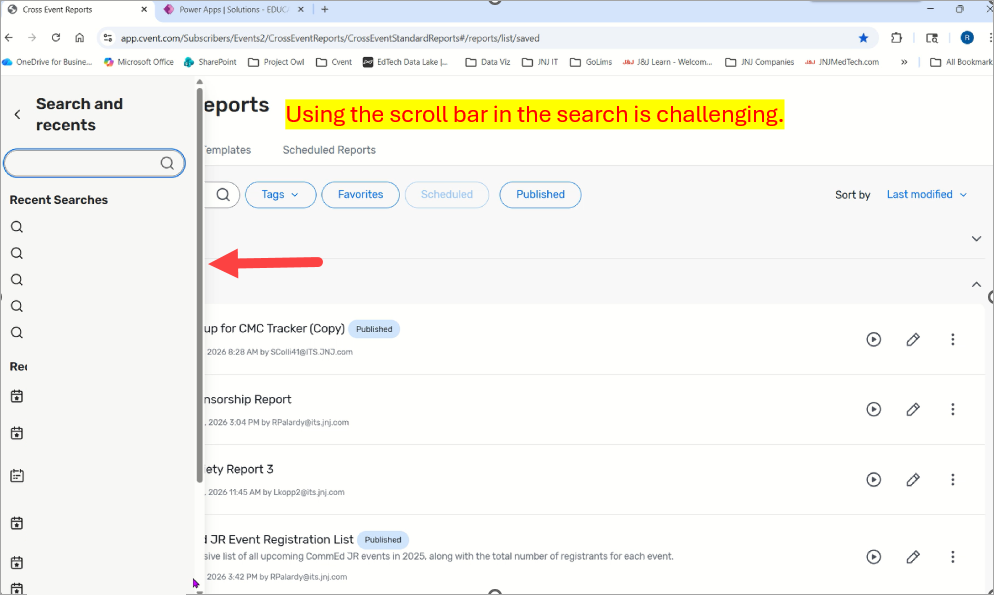

    #PlannerNavigator

    ------------------------------
    RENEE PALARDY
    Manager, Data & Analytics, , Education Solutions (North America)
    Johnson & Johnson Services, Inc. (DePuy Synthes Companies)United States
    ------------------------------


  • 2.  RE: Scoll bar in Search and recents

    Posted 14 days ago
    Edited by Kameron Kidd 14 days ago

    Hi Renee,

    Thank you for sharing this feedback. I'm glad to hear the new planner navigation has been working better for you overall now that you've had some time to get used to it.

    The issue you described with the Search and Recents scrollbar disappearing when you try to click the arrows or drag the bar definitely sounds frustrating from a usability perspective.

    Would you mind posting this in the Ideas section of the Community so our product team can review it directly? I'd recommend including the details you shared here, especially that:

    • the popout closes when you click the top or bottom scrollbar arrows

    • the popout also closes when you try to drag the scrollbar

    • this makes it difficult to use Search and Recents effectively

    That kind of detail will help the team better understand the experience and evaluate improvements.


    ------------------------------
    Kameron Kidd
    Community Manager
    Cvent Community Team
    ------------------------------